The challenge for many subcontractors is identifying new leads to target decision-makers early enough to drive influence.
For many subcontractors, winning new work often depends on a small network of contractors and repeat relationships. While this can provide steady opportunities, it also limits visibility into the wider pipeline of projects being planned and designed across the UK.
Architects, quantity surveyors, planners, and project managers play a critical role long before a contractor is appointed. Subcontractors who engage with these professionals during the planning approval and pre-tender stages significantly increase their chances of being considered when procurement begins. The difficulty is locating those contacts quickly and building a targeted list without spending hours researching individual projects.
This is where construction intelligence platforms can transform prospecting. By filtering projects by region, sector, timeline, and assigned project roles, subcontractors can quickly identify new qualified leads to contact key decision makers and project influencers.
In the short video below, we show how subcontractors can export 2,000 new leads in under five minutes. These leads include architects, planners, quantity surveyors, and project managers who are all ready to be used for outreach via sales and marketing. The result is a scalable way to build pipeline, reach decision-makers earlier, and increase the likelihood of securing work on future projects.
Watch the video tutorial: How subcontractors can export 2,000 new leads in 5 minutes
Step-by-step guide: Directions and screenshots
Log onto your Construction Project Leads Platform account here.
In the upper-right hand corner, click the ‘Filter’ button to launch our advanced filtering system.
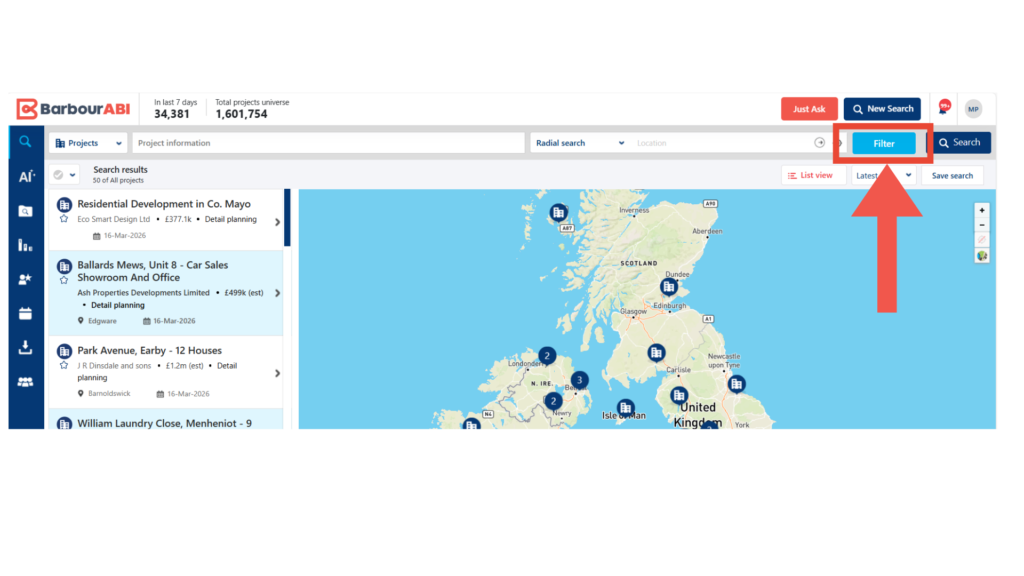
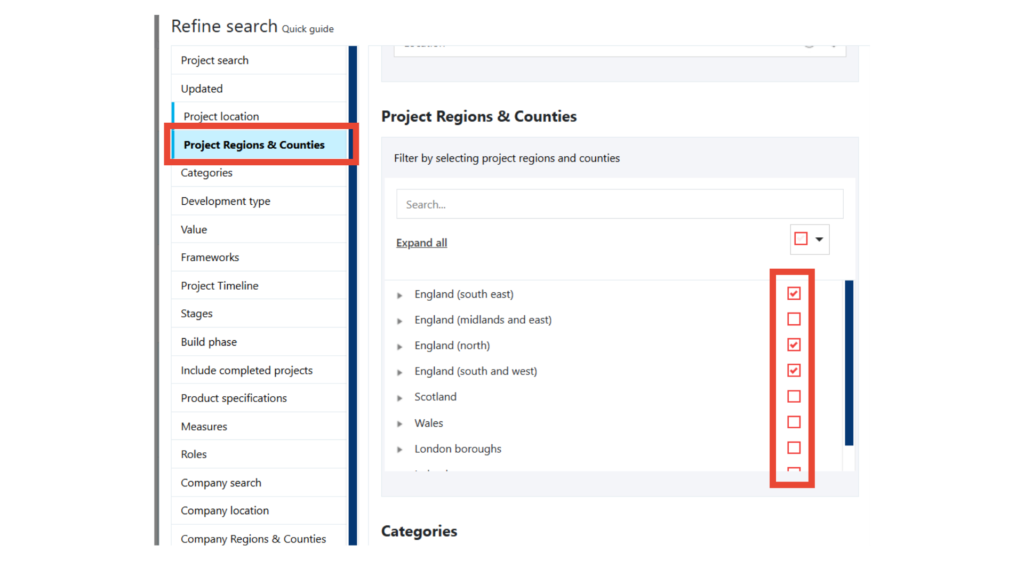
In the filter panel, you can scroll or click ‘Project Regions & Counties’ on the left hand menu.
From here you can select the regions and counties you’d like to target. Each section breaks down to more granular regions, but for the sake of the video we chose: England (South East), England (North), and England (South and West)
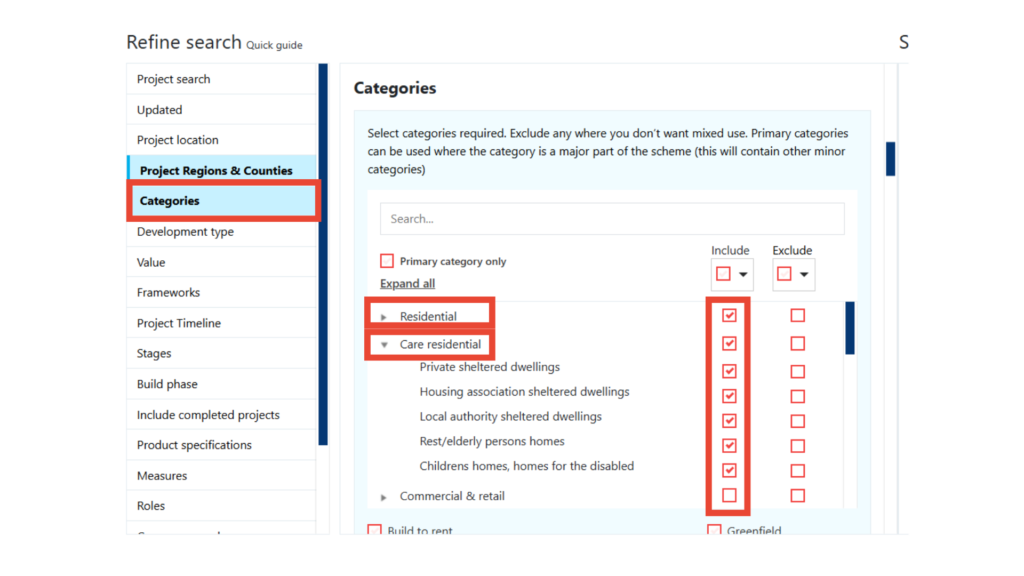
Scroll down or click ‘Categories’ on the left hand menu.
From here you can select the categories or sectors you’d like to target. As shown in the image below, each section can be broken down into sub-categories, but we selected all of Residential and Care Residential.
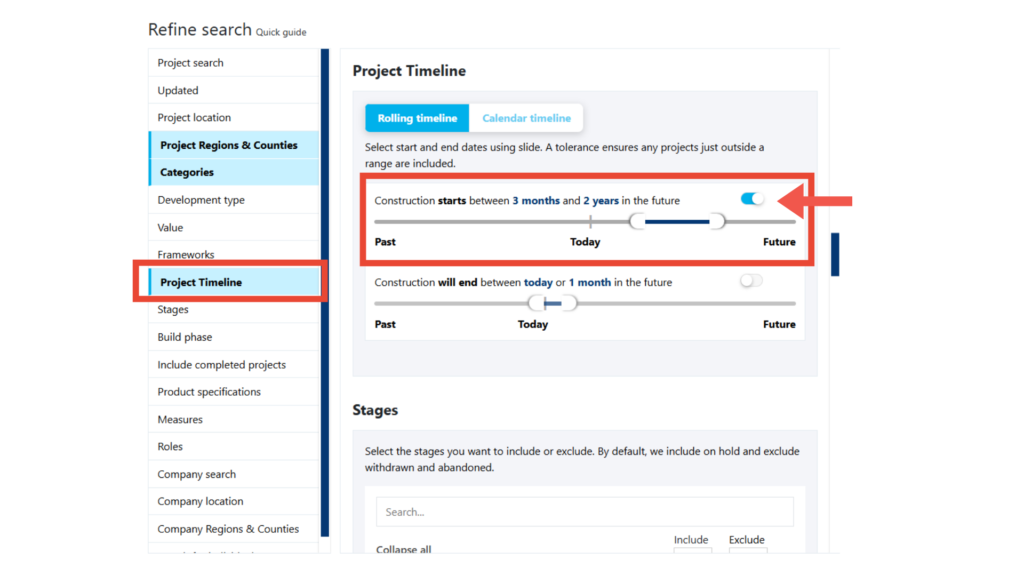
Scroll down or click ‘Project Timeline’ on the left hand menu.
Toggle the button pictured below to tell the platform you want to see projects by construction start dates. Use the slider to indicate your preferred time ranges. In the video, we highlighted three months – two years
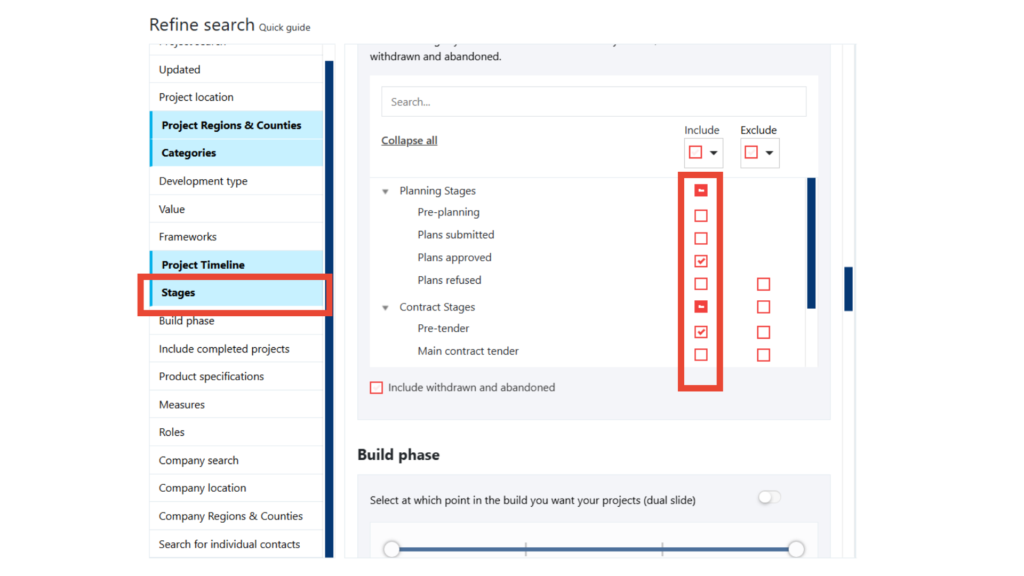
Scroll down or click ‘Stages’ on the left hand menu.
Select the planning stages that apply to your business needs. In the video we selected Plans Approved and Pre-tender.
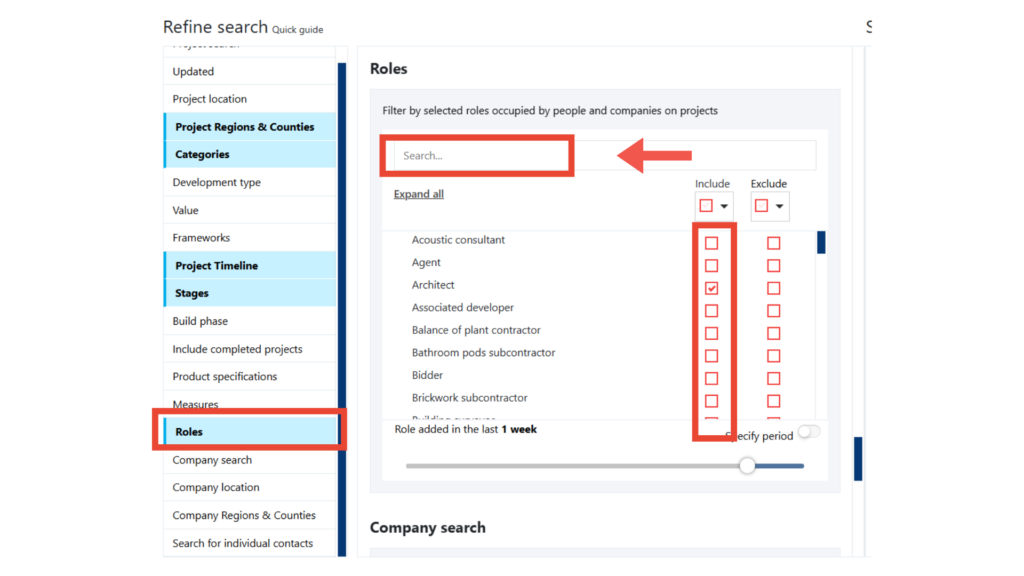
Scroll down or click ‘Roles’ on the left hand menu.
Either type in the roles you want to see, or scroll through and select. In order to focus on early decision-maker engagement, we’ve selected Architect, Planner, Project Manager, and Quantity Surveyors. This filter ensures that the platform will only show me projects with one or more of these roles assigned.
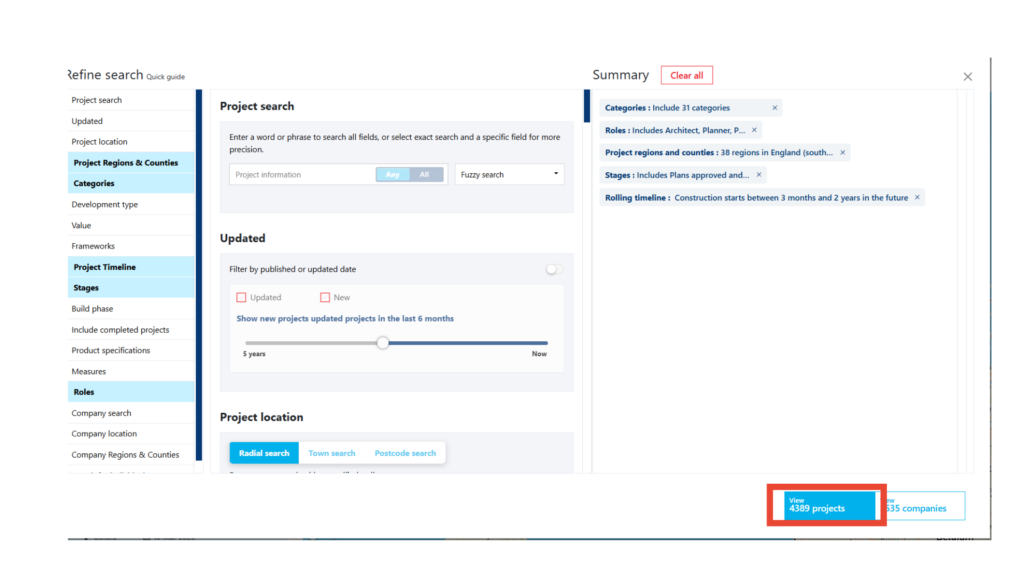
You’ll notice that the bottom-right hand corner will update as you select filters to give you a live count of the projects and companies available due to your selections.
Select ‘View Projects’ to call those 4,000+ projects.
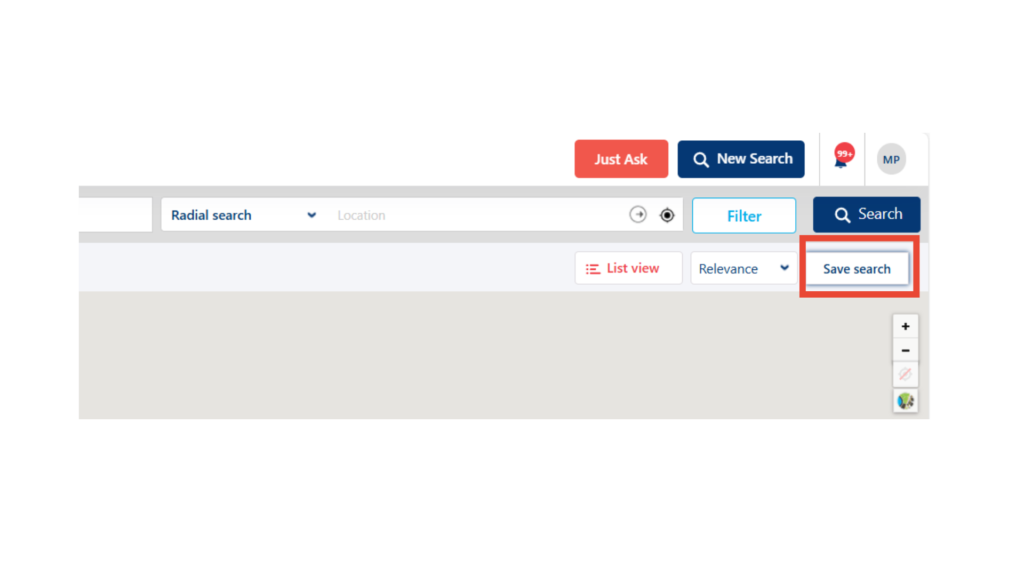
Once your projects load, click the ‘Save Search’ button as shown below.
You will then be prompted to give a name for your Saved Search, once finished select ‘Save’ to lock your name in.
On the left hand corner of platform, find the ‘Export Data’ button and click.
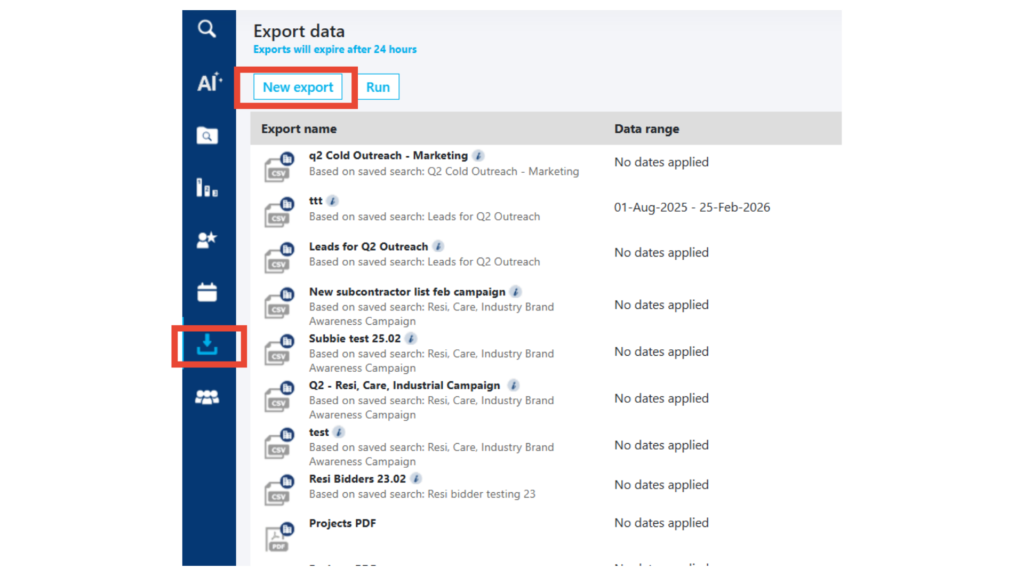
The next screen will show you all of your previous exports. Select ‘New Export’ to run your latest list of leads.
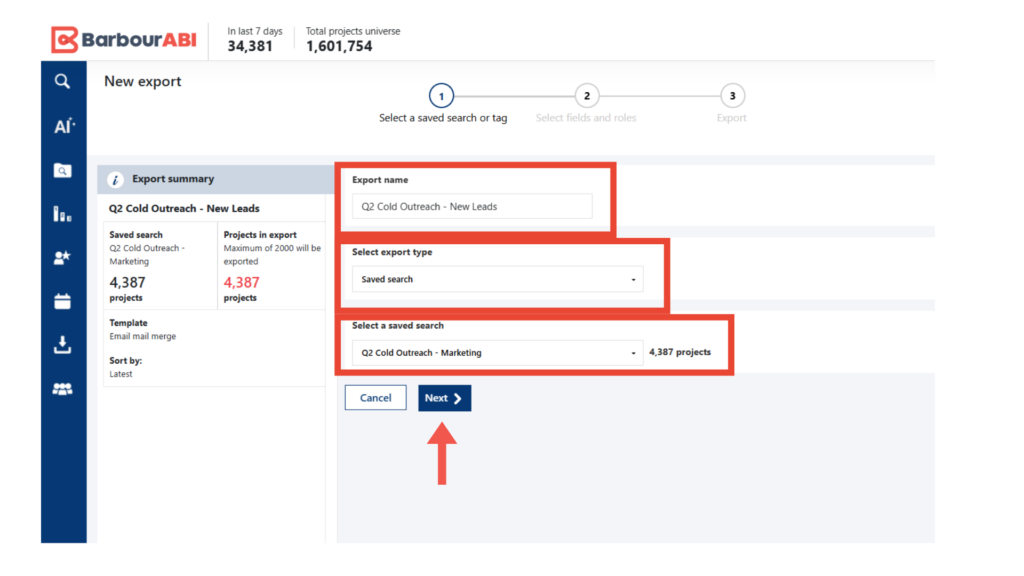
Type what you want the list to be exported as.
Under ‘Select Export Type’ select the option ‘Saved Search’ as that’s what your recently built list is saved as.
This selection will prompt you to ‘Select a Saved Search’. Find the search we just completed in previous steps, then select ‘Next’.
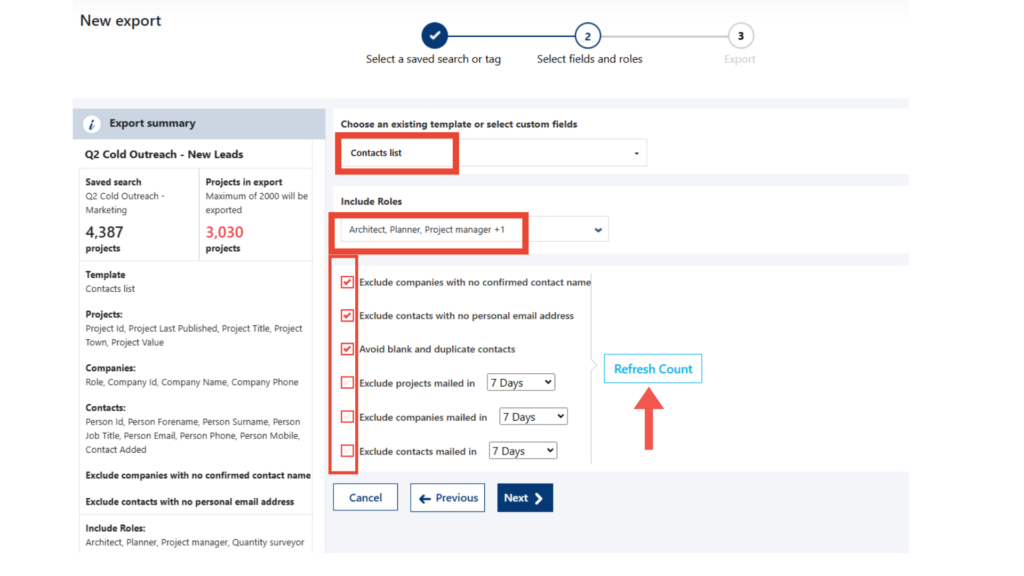
Under ‘Choose an existing template or select custom fields’ select ‘Contacts list’. This option will pull the contacts from these projects into an Excel spreadsheet.
Type in your desired roles under ‘Include Roles’. This feature will only pull those specific roles and no other roles on the projects, thus creating a very cleansed list.
Tick the desired boxes, then select ‘Refresh Count’ to get a refreshed number of projects.
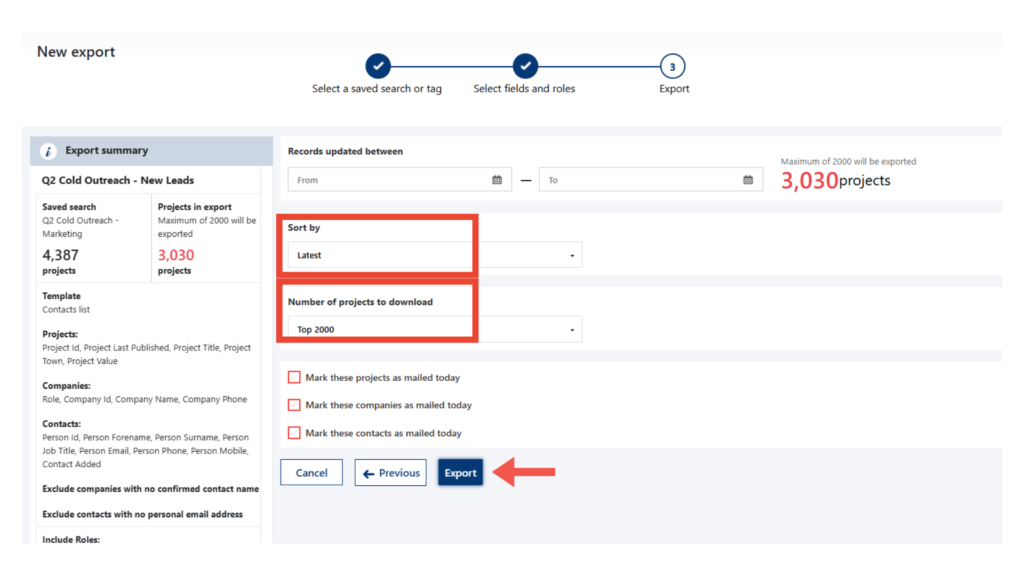
Select either ‘Latest’ or ‘Project value’ in the ‘Sort by’ dropdown depending on your needs.
Under ‘Number of projects to download’ select ‘Top 2000’.
Click ‘Export’.
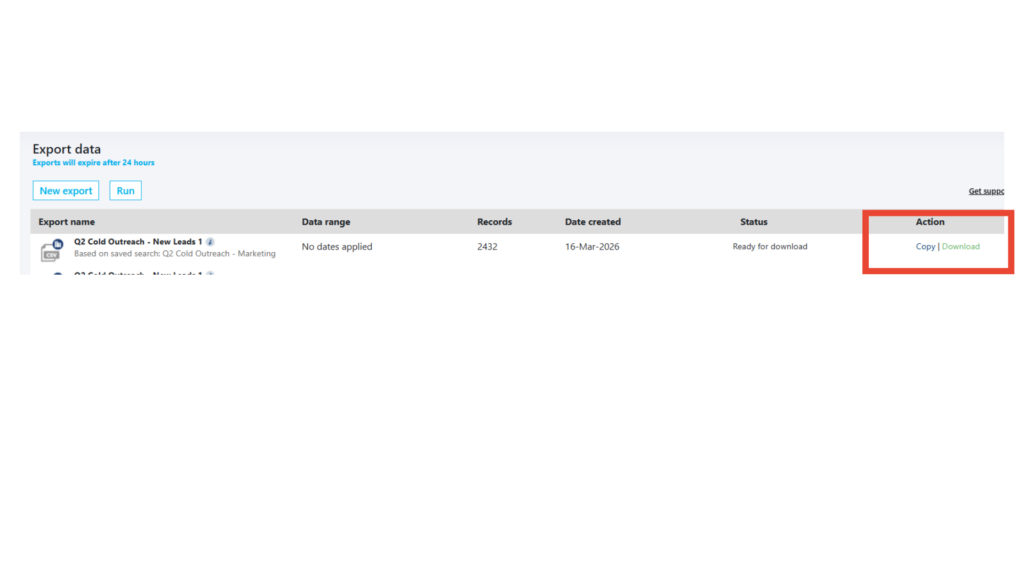
You will be brought back to the ‘Export Data’ page where you can ‘Download’ your list.
That’s it, you’re done! Your subcontracting business just downloaded 2,000+ construction leads in five minutes.
Lead generation platforms for subcontractors in the UK
Barbour ABI has been providing comprehensive construction project data to UK subcontractors for over 80 years. As the leading construction intelligence provider, we’ve had the pleasure of working with subcontractor businesses of all sizes to help build pipeline, win new work, and generate new connections.
If you’d like to see how easy it is to use the Construction Project Leads Platform, get in touch today to book a demo.
If you’re already a client and need help building your saved searches and export lists, please contact us. Your dedicated account manager will be delighted to help.
Contents
Ready to put our data to the test?
Keep learning
Learn how to build lists fit for mail merge and use our free templates to get you started.

Find projects and new opportunities faster than ever with our latest AI-powered search.
Discover how you can find products and materials on your target projects directly on our platform.