Building material manufacturers need to be able to track specification as soon as possible to drive sales and competitor strategy.
What if your manufacturing company could get notified every time your products have been specified in planning documents? How about knowing when your competitor has been specified?
Our Product Specification tool gives manufacturers the ability to discover and track projects with brand, product, and material specifications.
Directly available on our Construction Project Leads Platform, the tool is easy-to-use and sits within our advanced filtering. This means you can specify all your target project criteria including the product specifications, and save it as a search to return to time and time again.
Want to learn how? Continue reading below ⬇️
Watch the video tutorial: How Building Material Manufacturers can track product specifications
Search for your products and company names
Login to your Construction Project Leads Platform account here.
In the upper-right hand corner, click the ‘Filter’ button to launch our advanced filtering search.
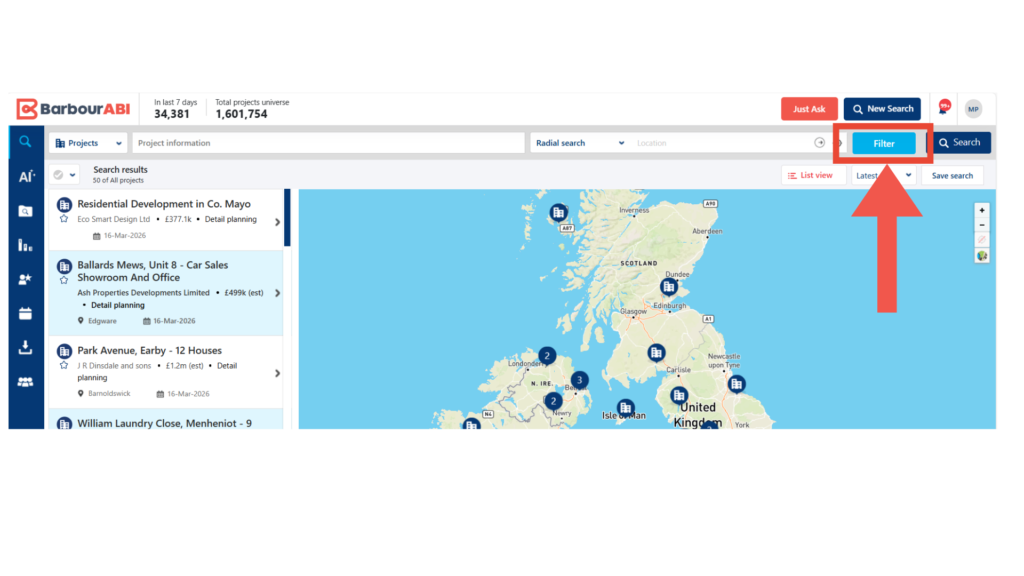
In the filter panel, you can scroll through and select everything you need to bring up your target projects.
Explore ‘Project Regions & Counties’, ‘Categories (Sectors)’, ‘Value’, ‘Project Timeline’, ‘Stages’, and more.
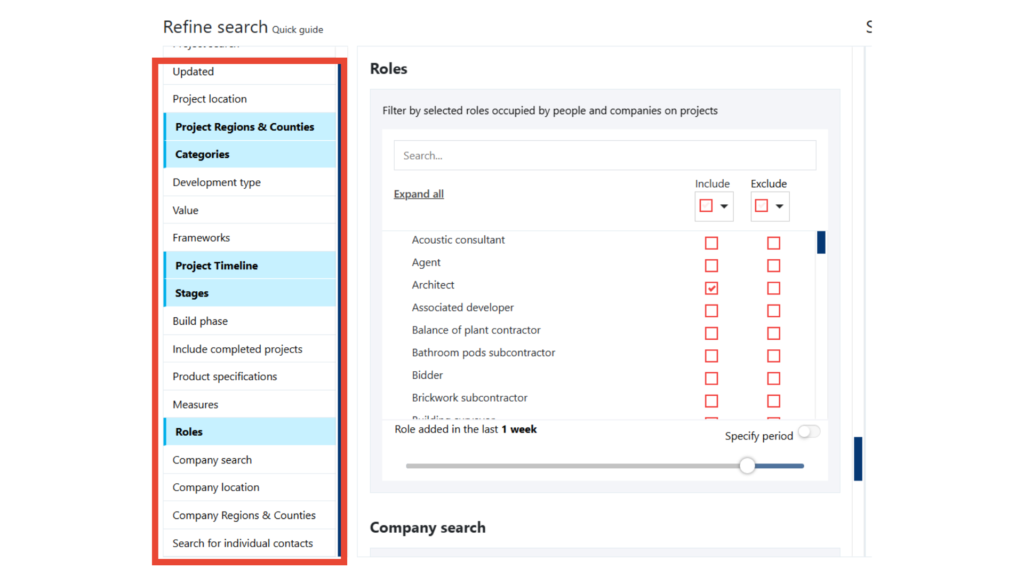
Scroll down or click ‘Product Specifications’ on the left-hand menu.
From here you can add your products’ names, numbers, brand names, or your company name to retrieve all projects that have these specifications in the planning documents.
Press enter on your keyboard to separate each keyword if you’d like to search for multiple products or companies. The search then acts as an ‘or’ statement, so the results will reflect any projects that have any of your keywords.
In this scenario, we’ve typed in ‘Velux’ and ‘Kingspan’.
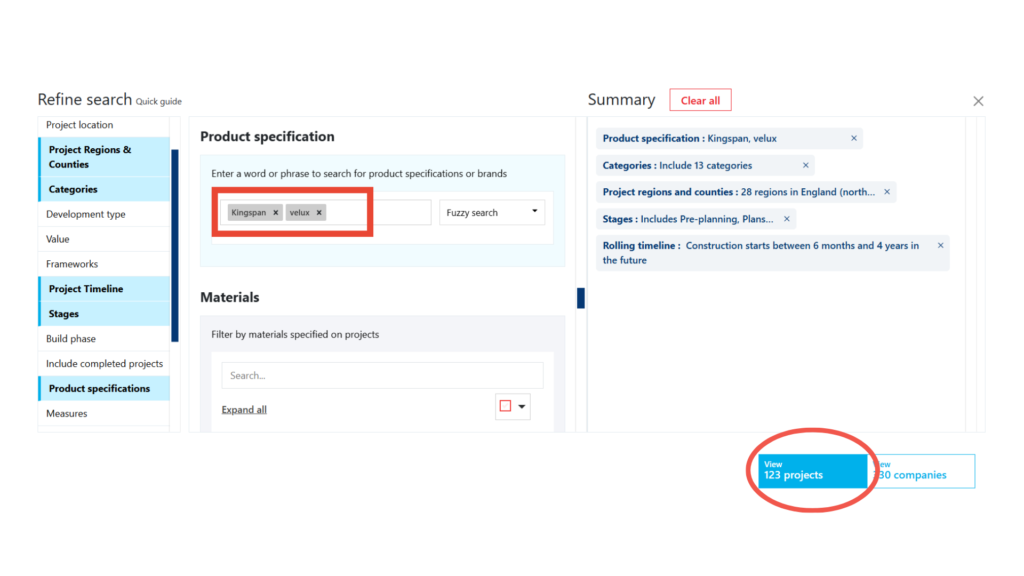
Go a step further and search for your competitors’ details to track where they’ve been specified. This tactic allows building material manufacturers to deploy their competitor strategies and start making contact with key decision makers to win more specification opportunities.
Search for materials
Discover specific materials on projects identified by our team of UK-based researchers. Once a project goes live, they contact key decision makers to better realise the full scope of materials that will be required throughout the build. We then list these materials on projects so your team can start prospecting projects that require your product type.
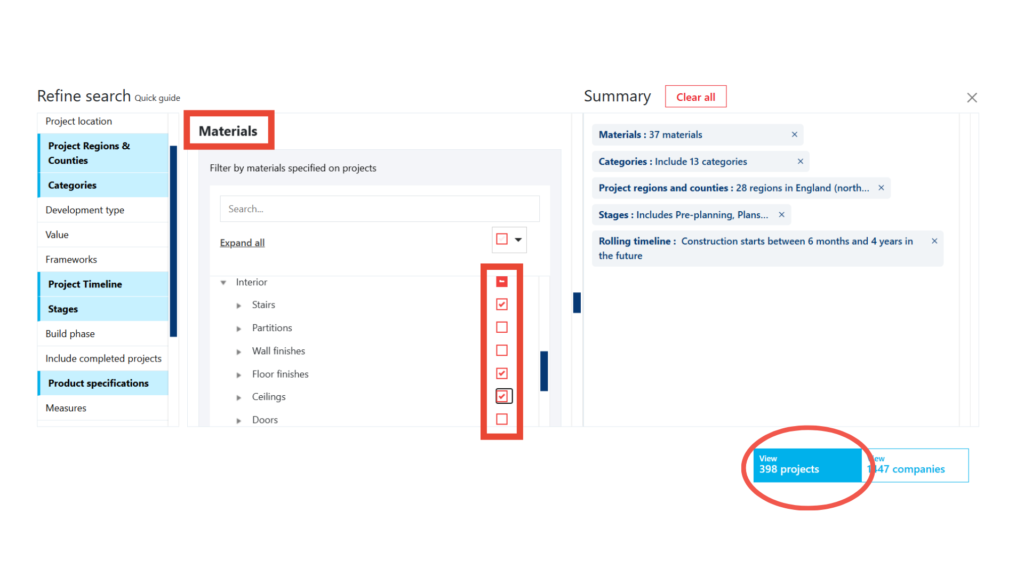
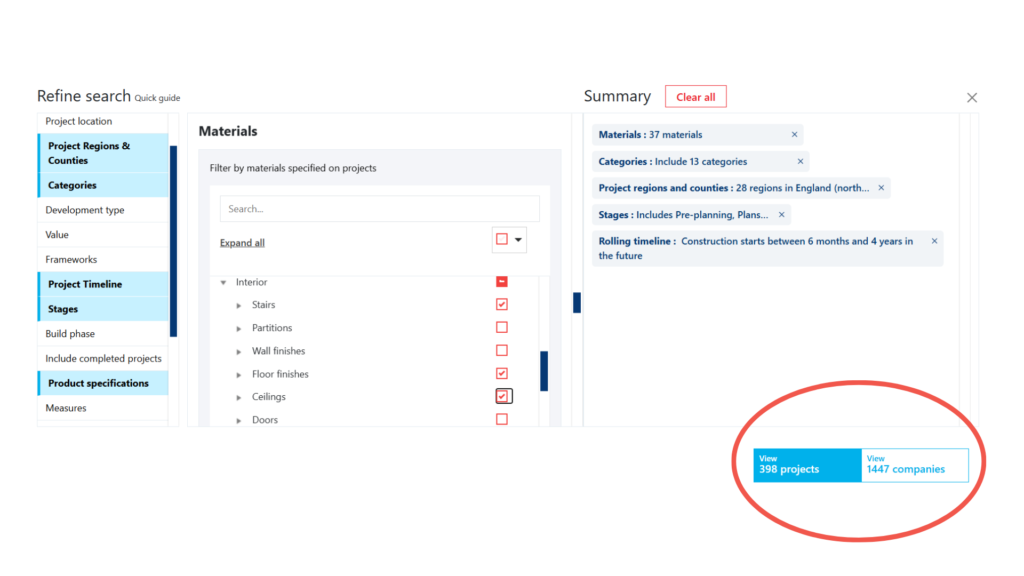
Directly underneath ‘Product Specification’ is the ‘Materials’ section. Search or individually check through each category to select which materials you want to target.
In this scenario we’ve chosen ‘Stairs’, ‘Floor Finishes’, and ‘Ceilings’.
Save your custom searches to your account
As you’ve been making your selections within the advanced filtered search, project and company results matching your criteria have been updating in real time. You can view this in the bottom right-hand corner.
Select either ‘Projects’ or ‘Companies’ to generate the full results of your search.
Once you’re happy with your custom search, you can save your criteria so you can access this list again and again to view live updates and capture more target projects.
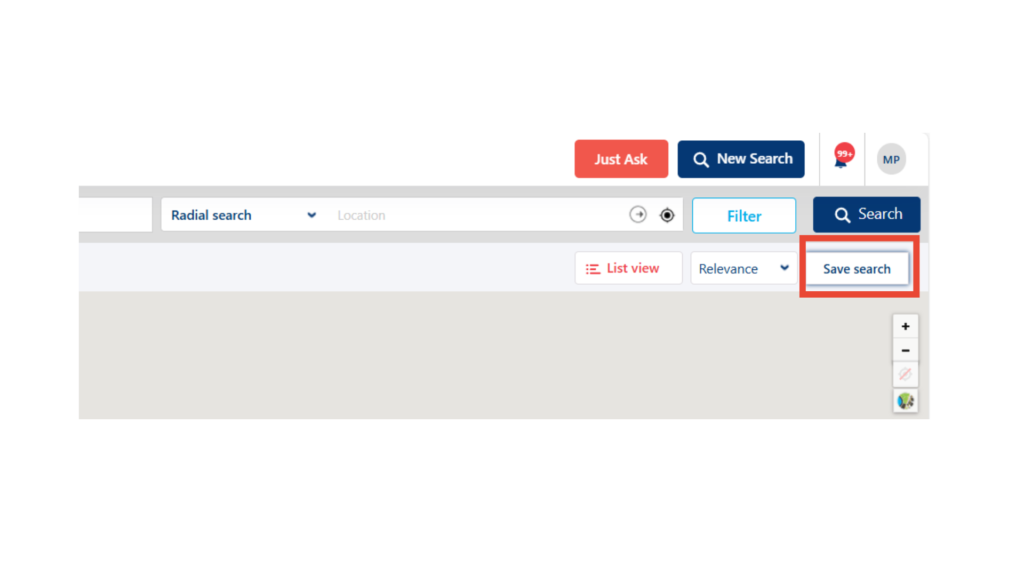
In the upper right hand corner you’ll find a button called ‘Save Search’. Select this button, name your list, and that list will now sit in your Saved Searches throughout your entire subscription.
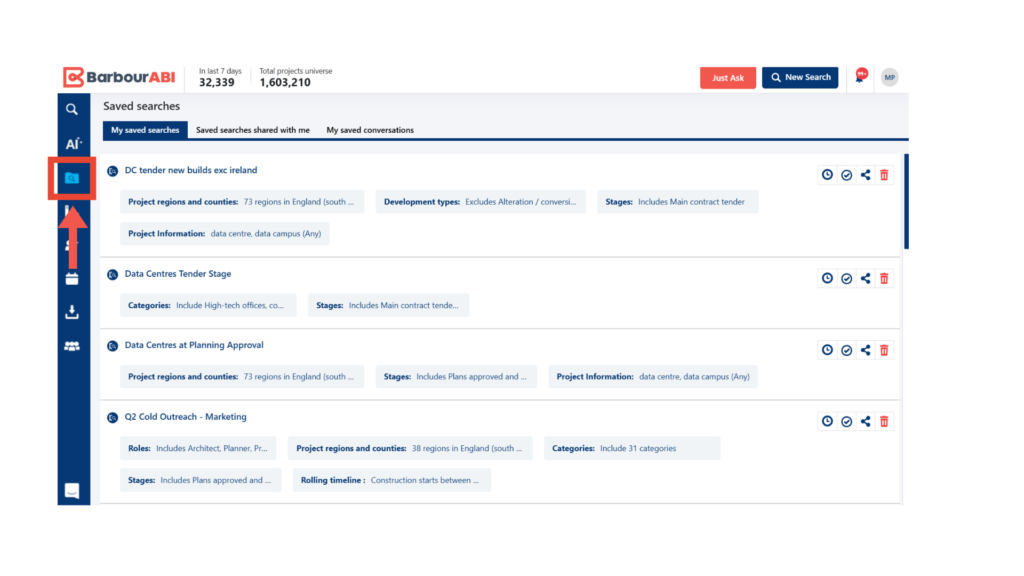
You can find all of your saved searches in the area below:
Manufacturers track product specification with Barbour ABI
Barbour ABI has been providing comprehensive construction project data to UK building material product manufacturers for over 80 years. As the leading construction intelligence provider, we’ve had the pleasure of working with manufacturing businesses of all sizes to help secure specifaction, win new work, and generate new connections.
If you’d like to see how easy it is to use the Construction Project Leads Platform, and the Product Specification tool, get in touch today to book a demo.
If you’re already a client and need help building your saved searches to target products and materials, please contact us. Your dedicated account manager will be delighted to help.
Contents
Ready to put our data to the test?
Keep learning
Learn how to build lists fit for mail merge and use our free templates to get you started.
Find projects and new opportunities faster than ever with our latest AI-powered search.

Learn how to build custom league tables to get a ranked list view of best performing companies.