Accessing Just Ask
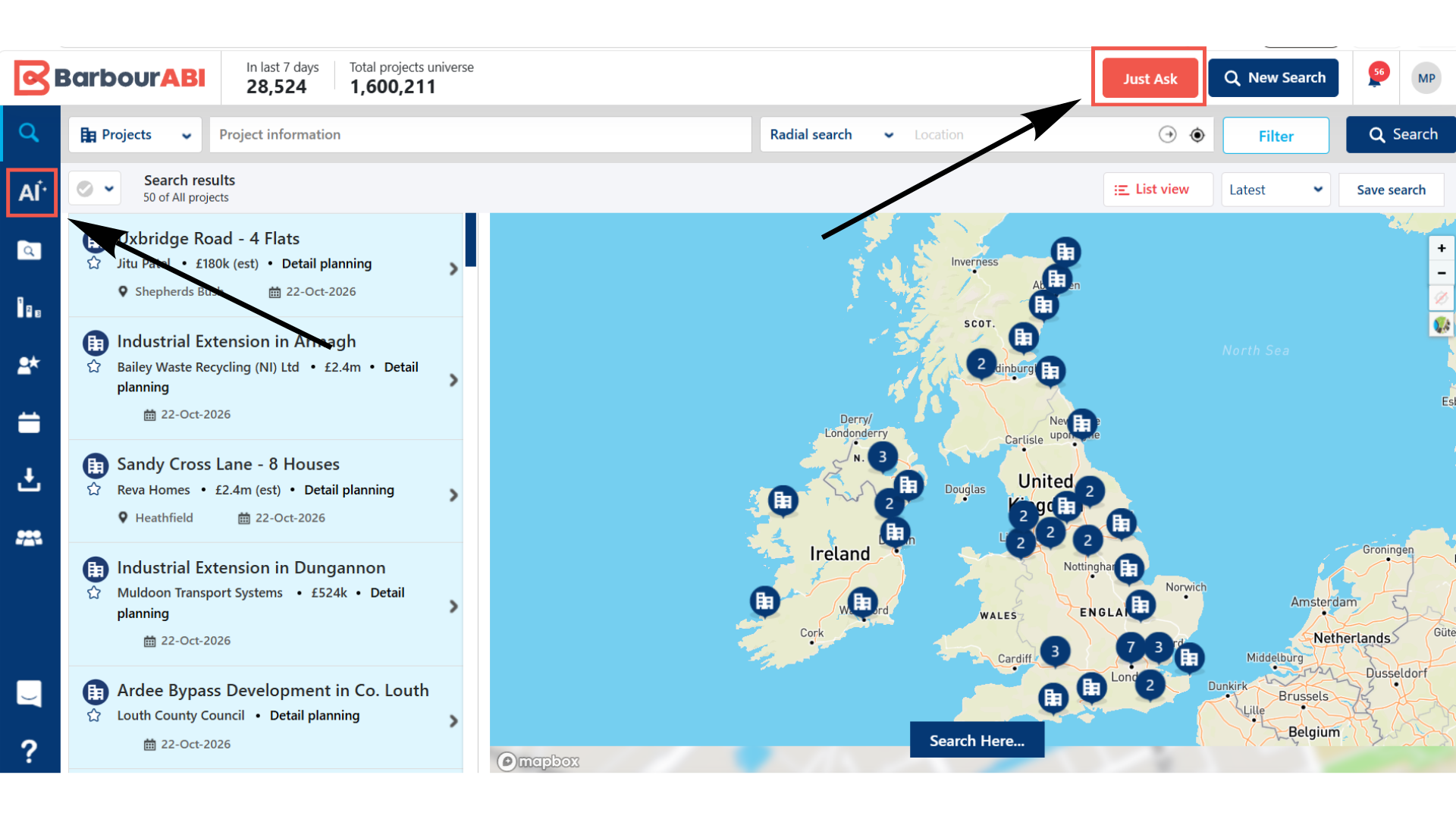
Step 1: Click the Just Ask icon in the blue bar at the side of the platform.
Or select the orange Just Ask button in the top right hand side of the platform.
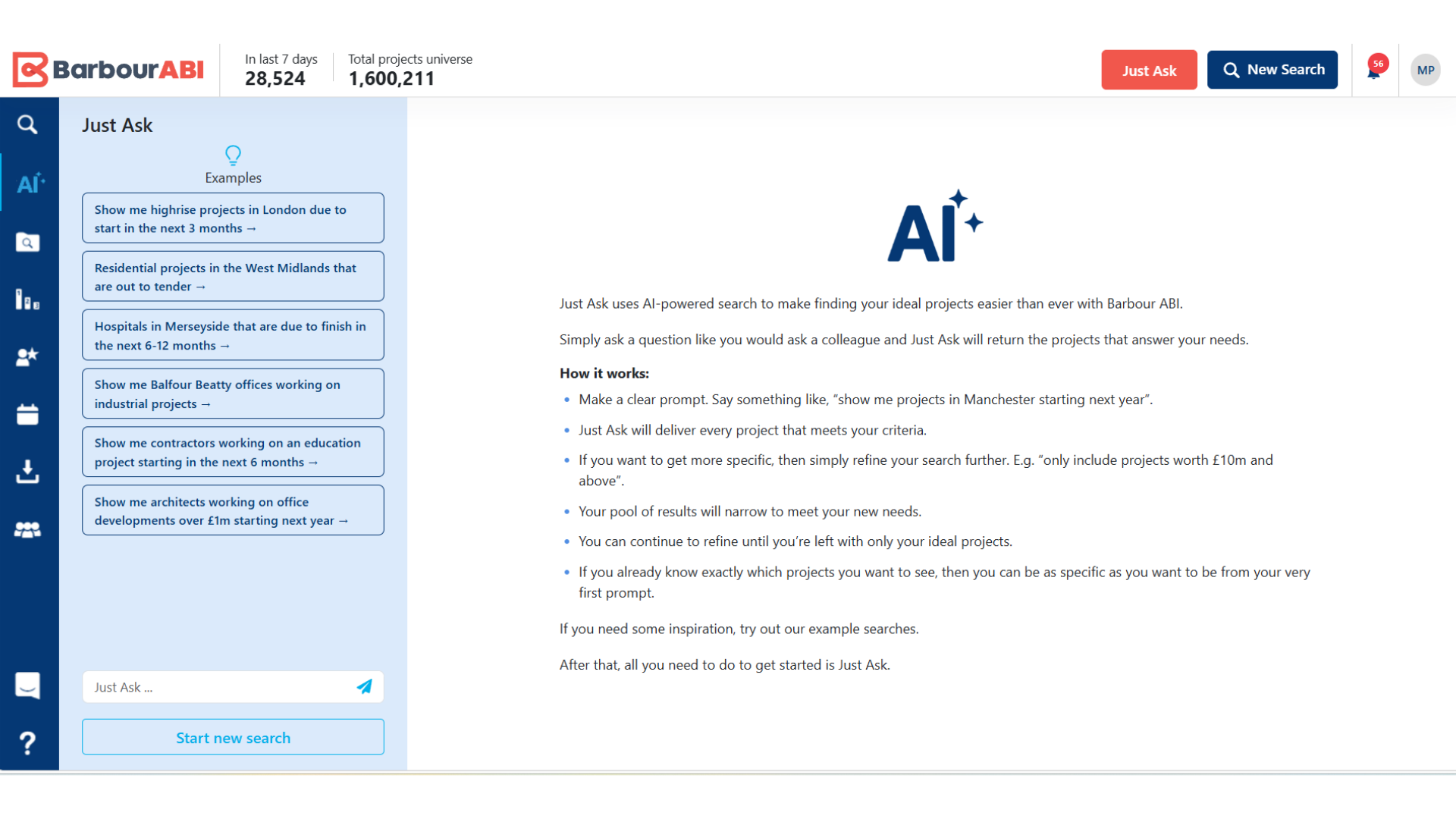
Step 2: The Just Ask panel opens. At the top, a set of example searches can be clicked to try them. At the bottom, the question bar is where you type your own.
How to ask your first question
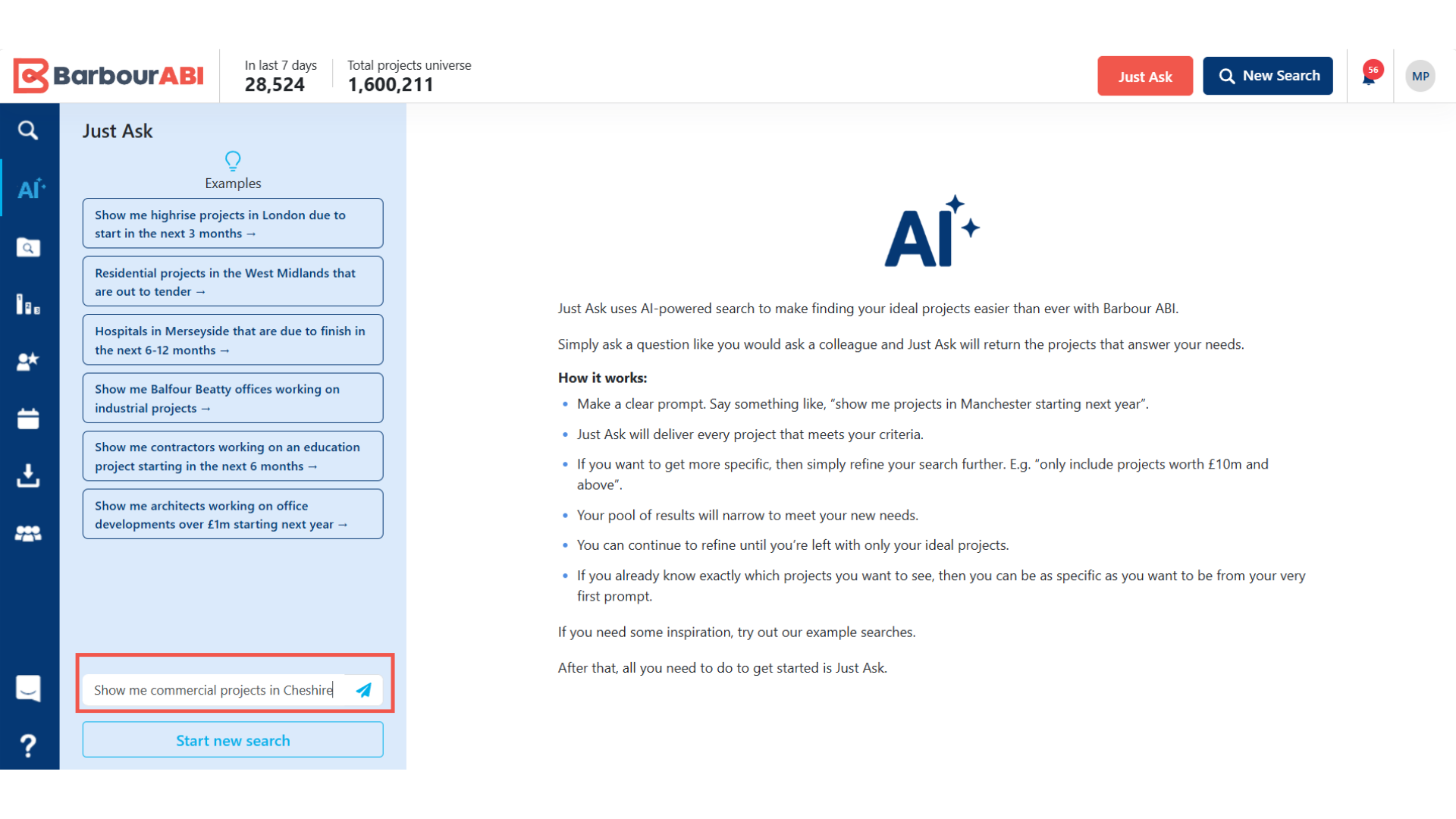
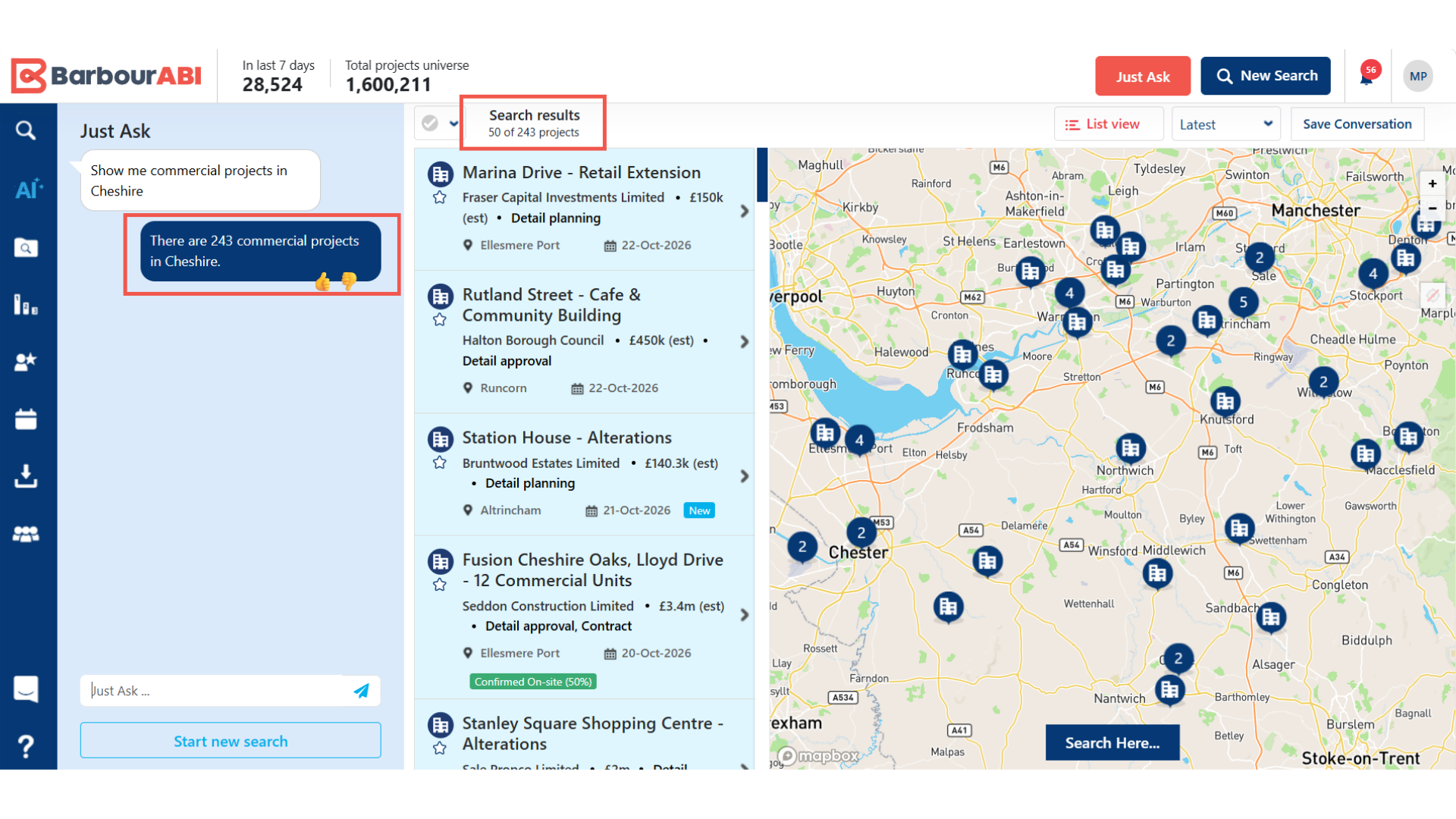
Step 3: Click the question bar at the bottom of the panel and type your question in plain English, for example: show me commercial projects in Cheshire. Press Enter.
Step 4: Just Ask processes the question and loads the matching projects in the panel. A statement above the results confirms exactly what it found: in this example, 243 commercial projects in Cheshire.
How to refine your AI search
You can keep asking questions on top of your results. Each new question narrows the list further.
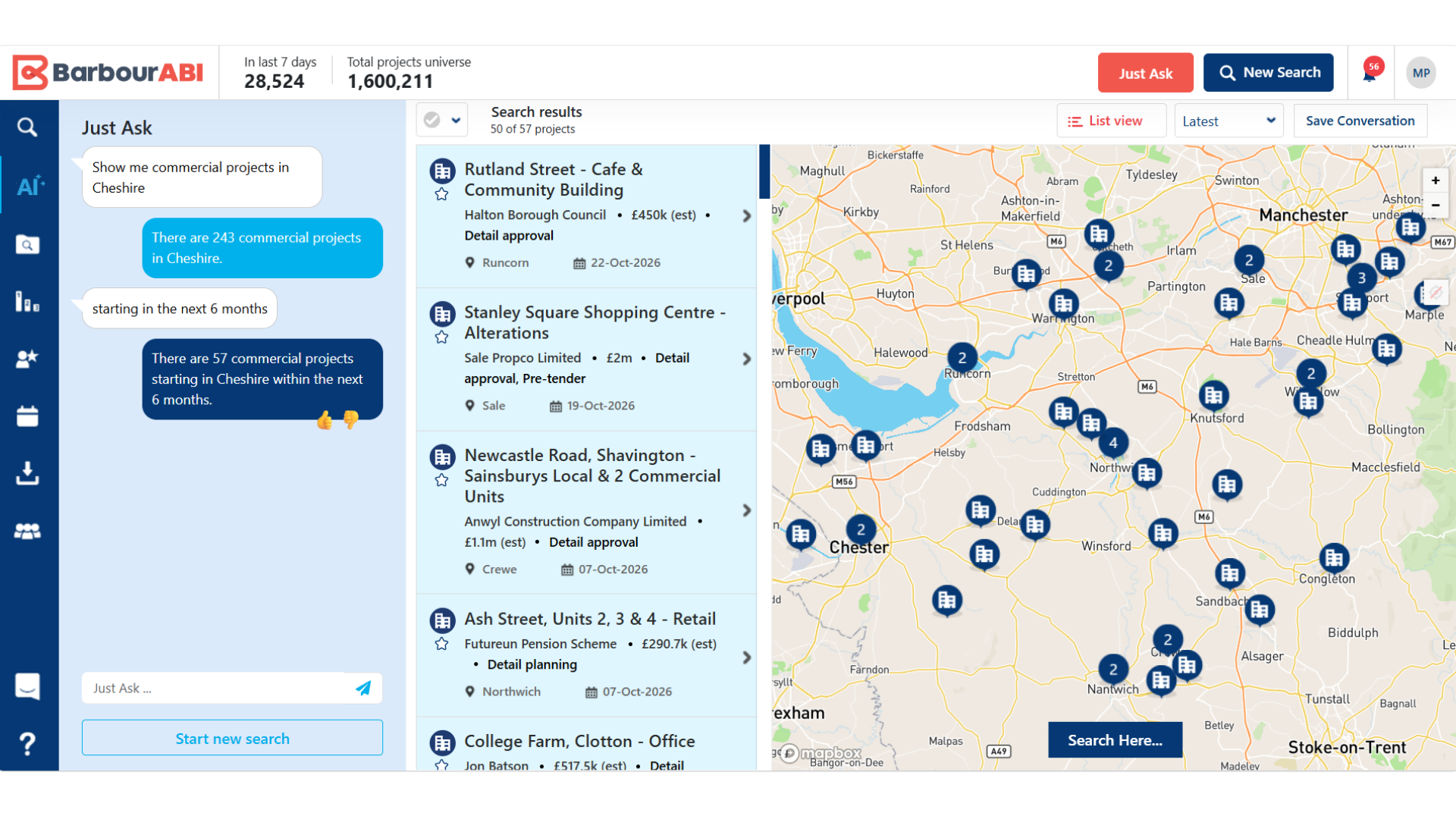
Step 5: Type a refinement into the question bar, for example: starting in the next 6 months. Press Enter.
Just Ask overlays the refinement on your original AI search. The results fall from 243 projects to 57.
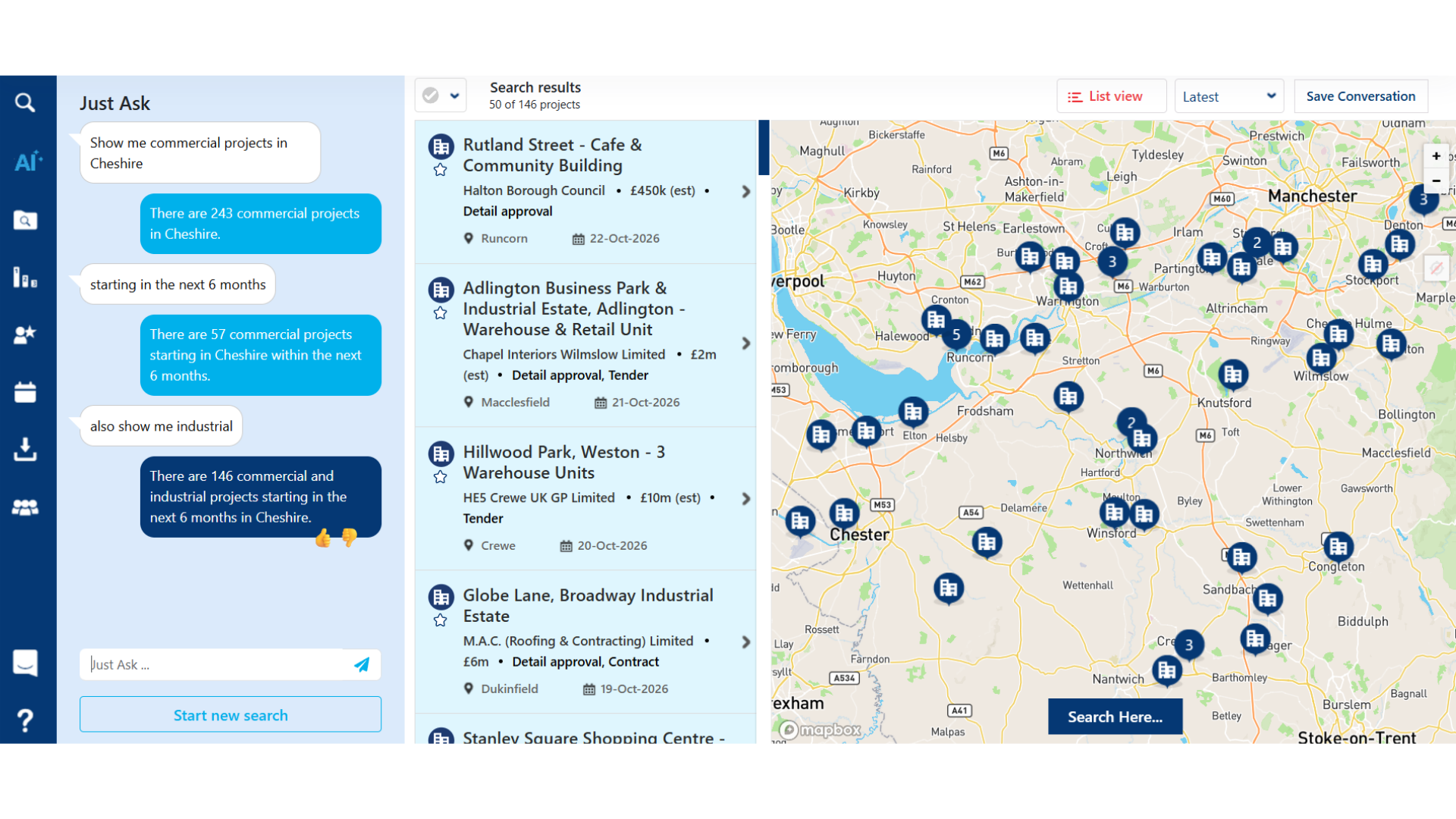
Step 6: Add further criteria in the same way. Adding also show me industrial widens the search to commercial and industrial projects: 146 results in this example.
How to start a new search
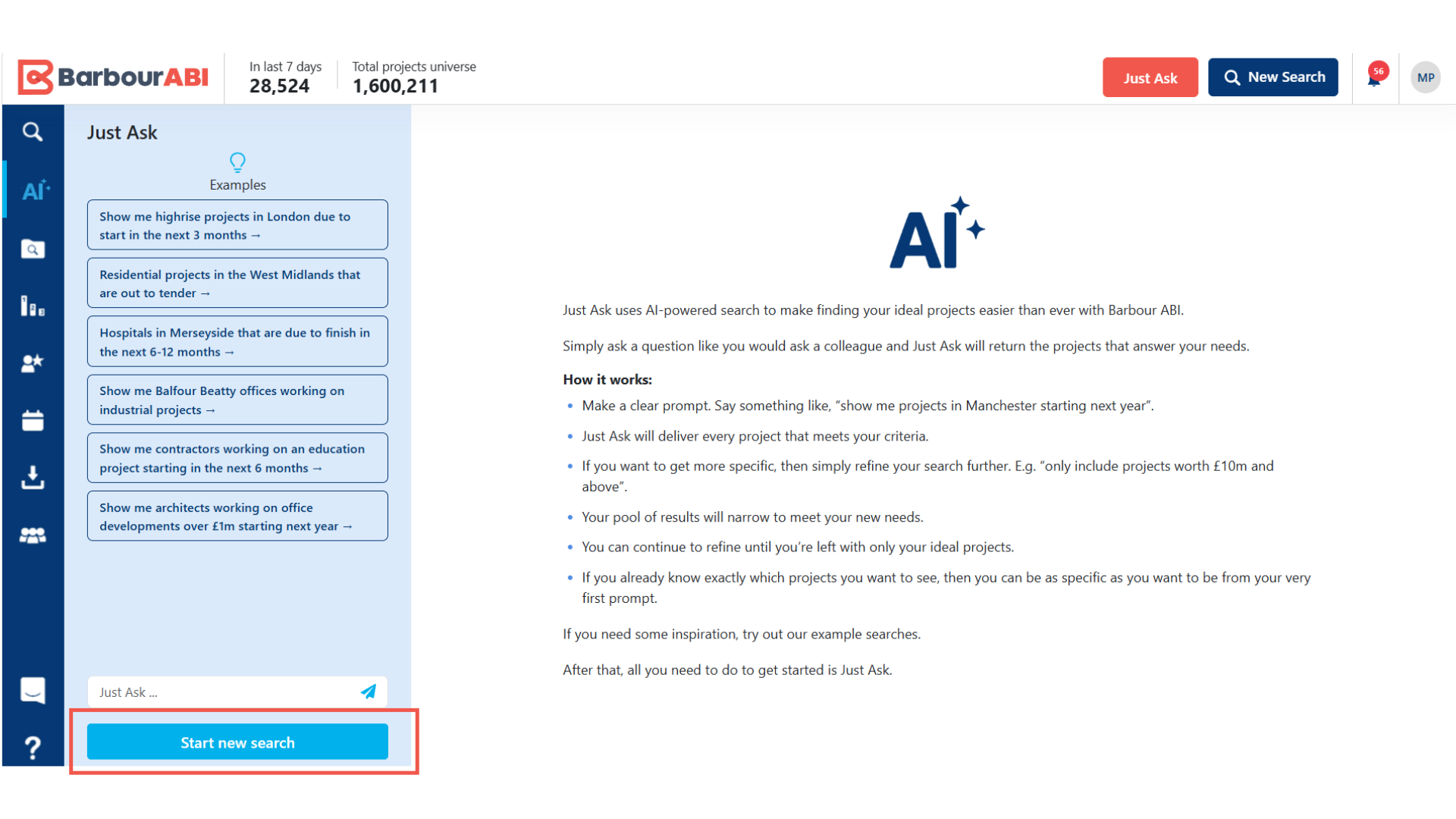
Step 7: To search for something different, click Start new search at the bottom of the panel. This clears all existing filters.
Combine criteria in one question
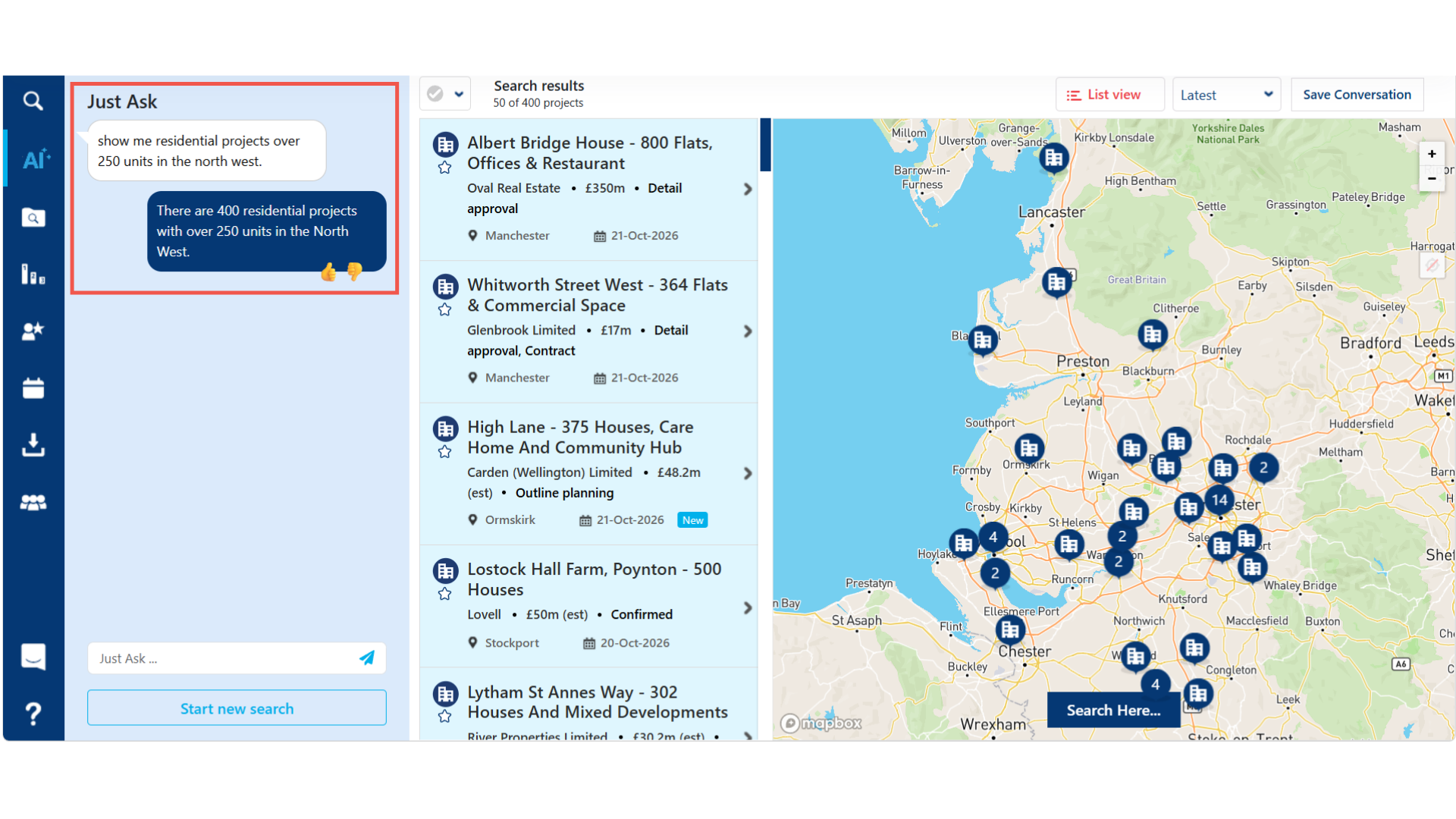
Step 8: You don’t need to refine your query over a series of stages. You can include as much information as you want in your first question, or refine as you go.
For example, you could start with sector, size, and region and the projects will surface from the platform.
Search by role
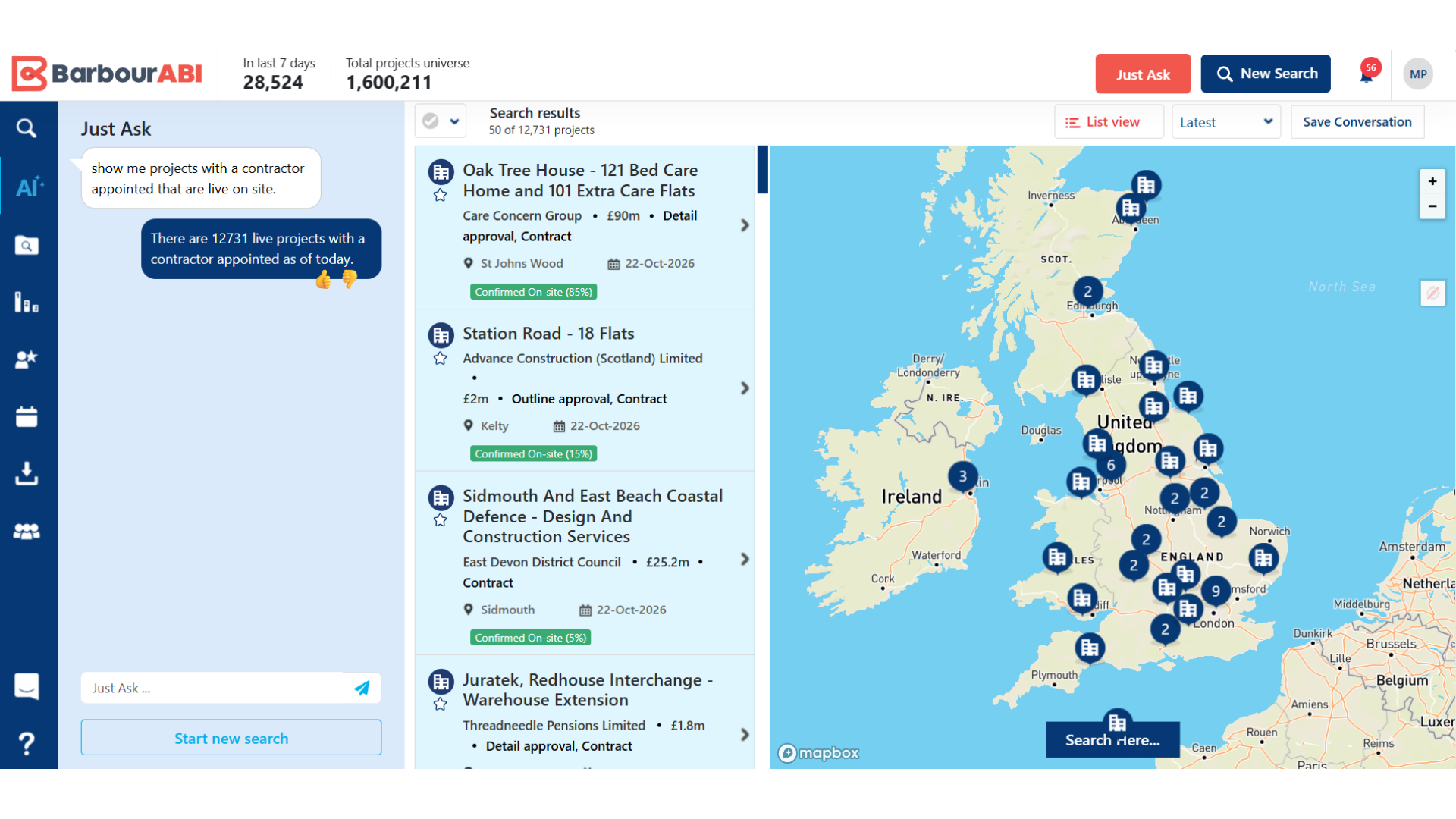
Step 9: Just Ask can also find projects where a particular role has been added.
Start a new search and ask, for example: show me projects with a contractor appointed that are live on site. The results show every live project with an appointed contractor currently on site: 11,906 in this example.
You can then add a refinement, such as a location. Asking show me projects in Scotland narrows the list to the Scottish projects that match.
Searching for companies with the AI search
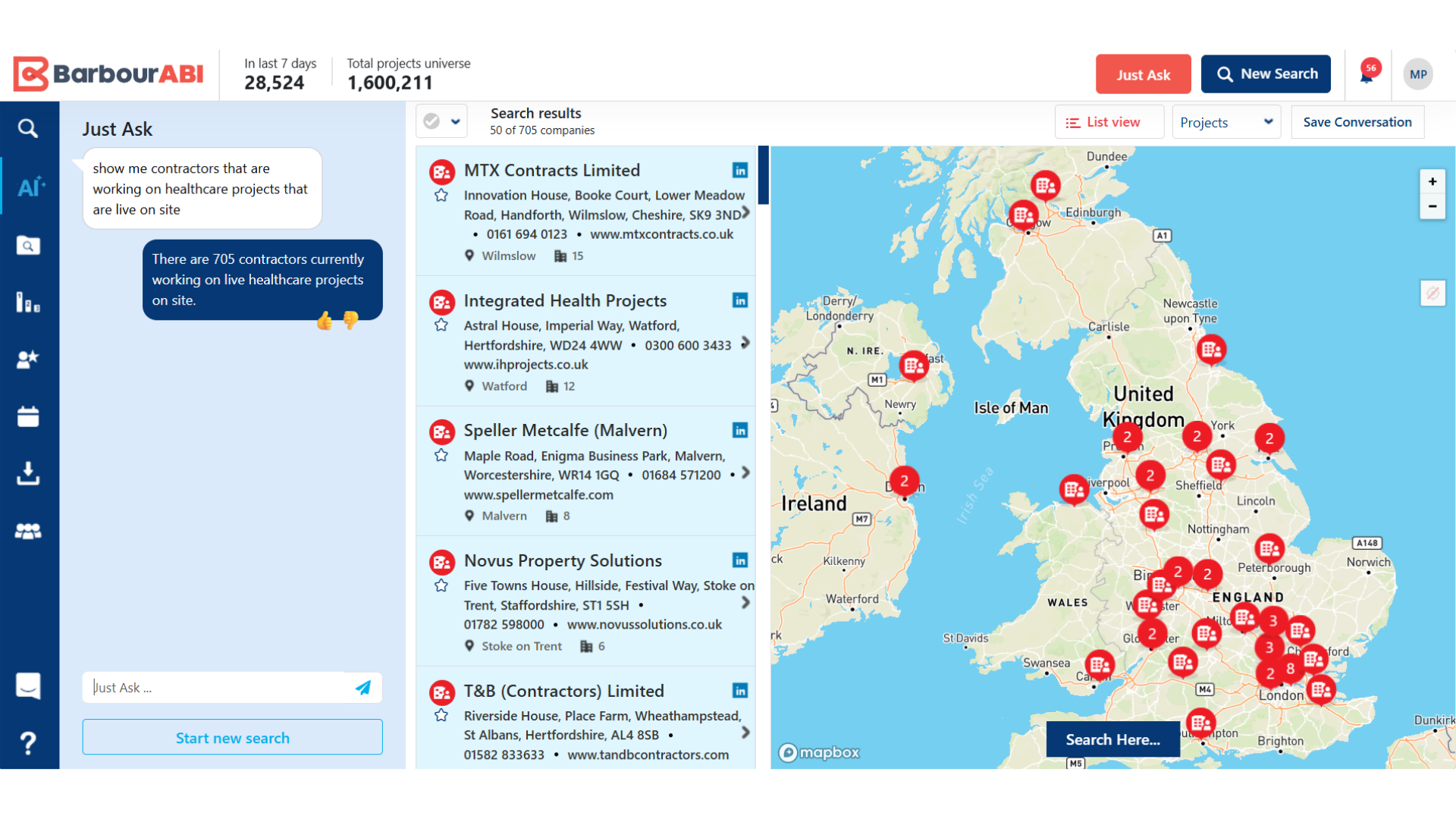
So far, every search has returned a list of projects. Barbour ABI’s AI search can also return lists of companies, covering any role on a project, including clients, architects, contractors and consultants.
Step 10: Start a new search and ask for companies by role, for example: show me contractors that are working on healthcare projects that are live on site. Instead of projects, Just Ask returns the main contractors with live healthcare projects: 705 in this example.
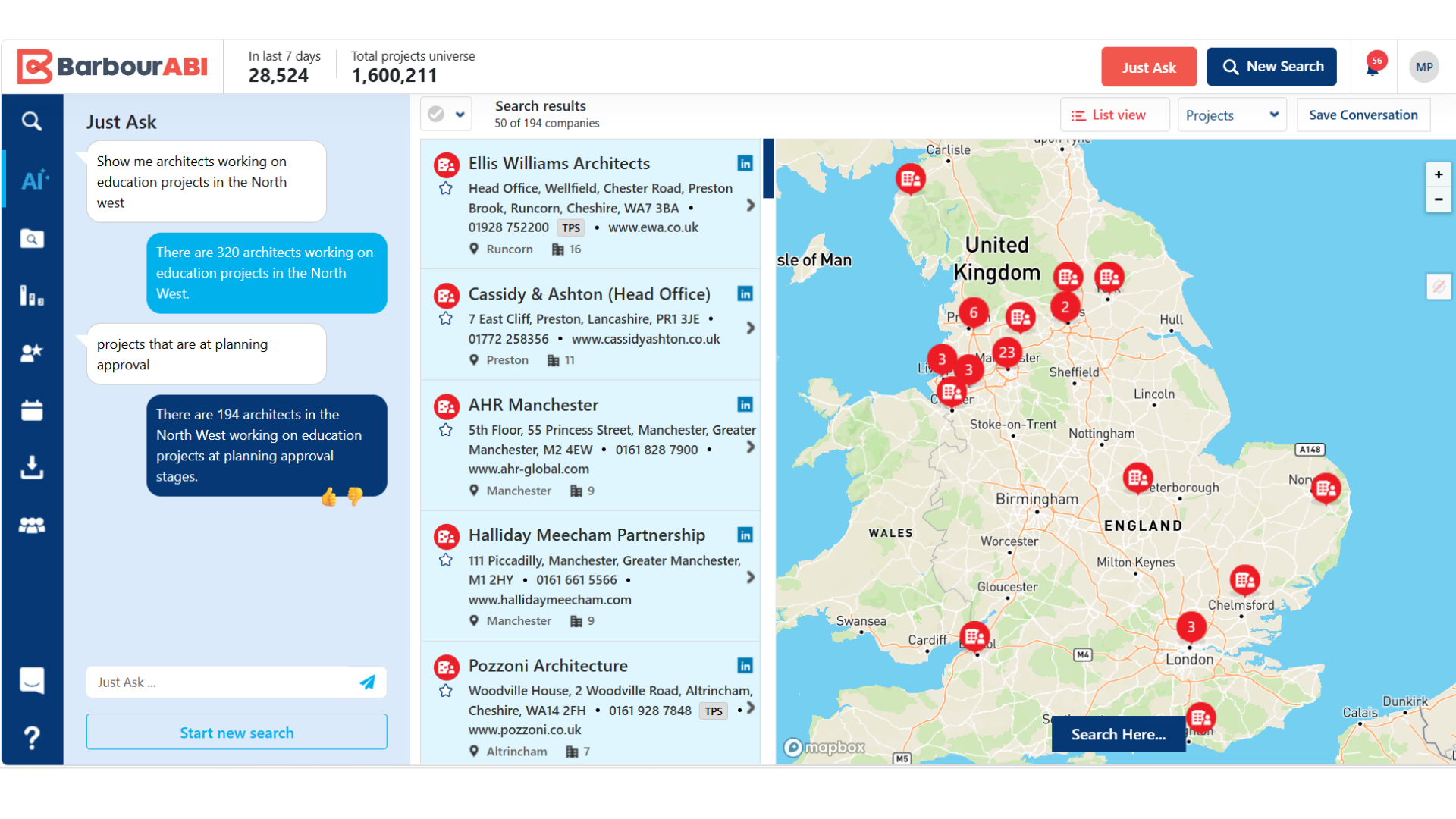
Step 11: Add various planning stages and sectors to narrow your search results.
Step 12: You can also search for a specific company by name.
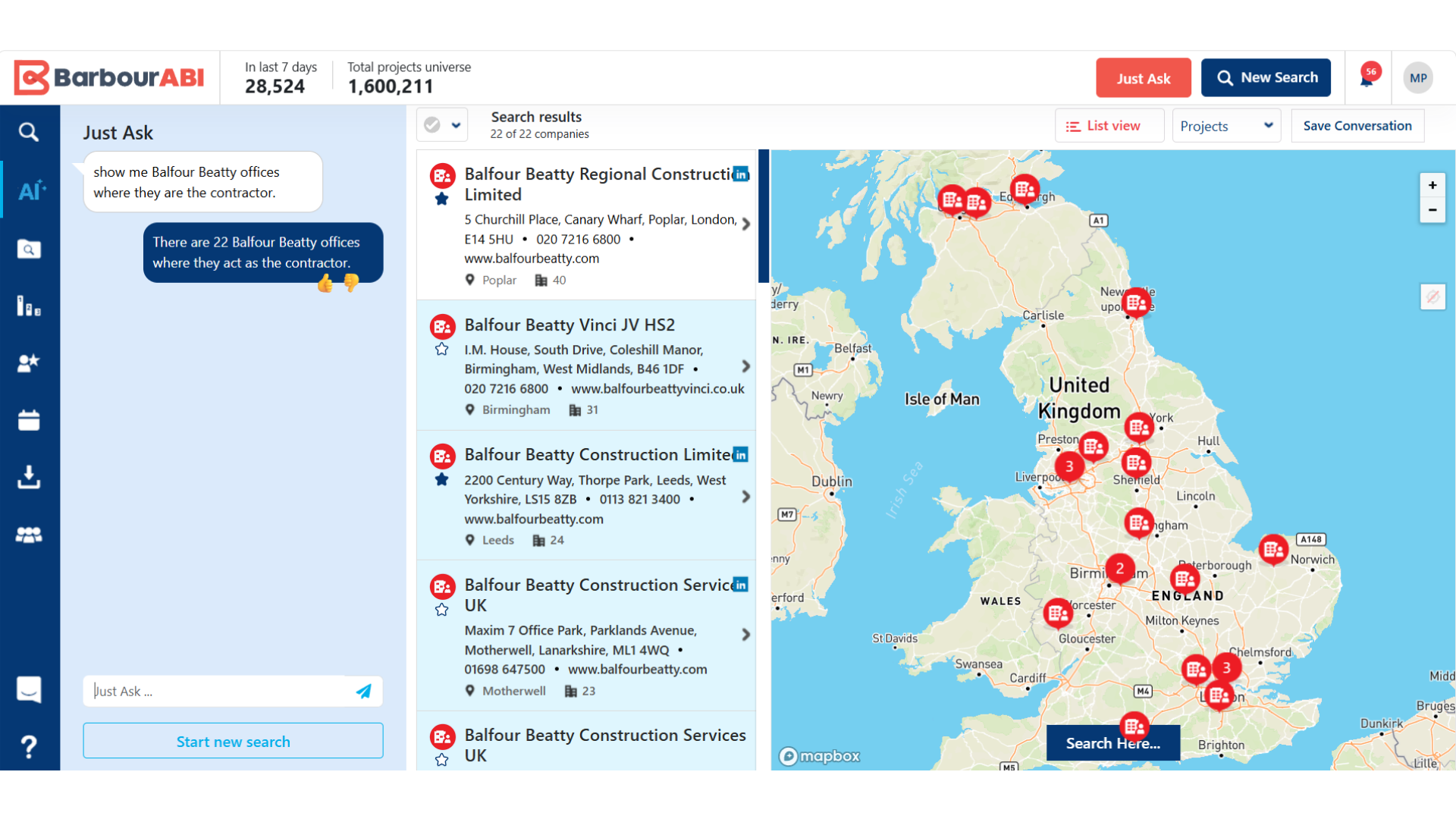
Start a new search and ask, for example: show me Balfour Beatty offices where they are the contractor. This returns a much smaller list: 22 Balfour Beatty offices.
Save your AI searches to access later as a live feed
You can save your conversations to reference back to and see what updates have been made since your last search. This serves as a live feed that shows updates as and when data is refreshed.
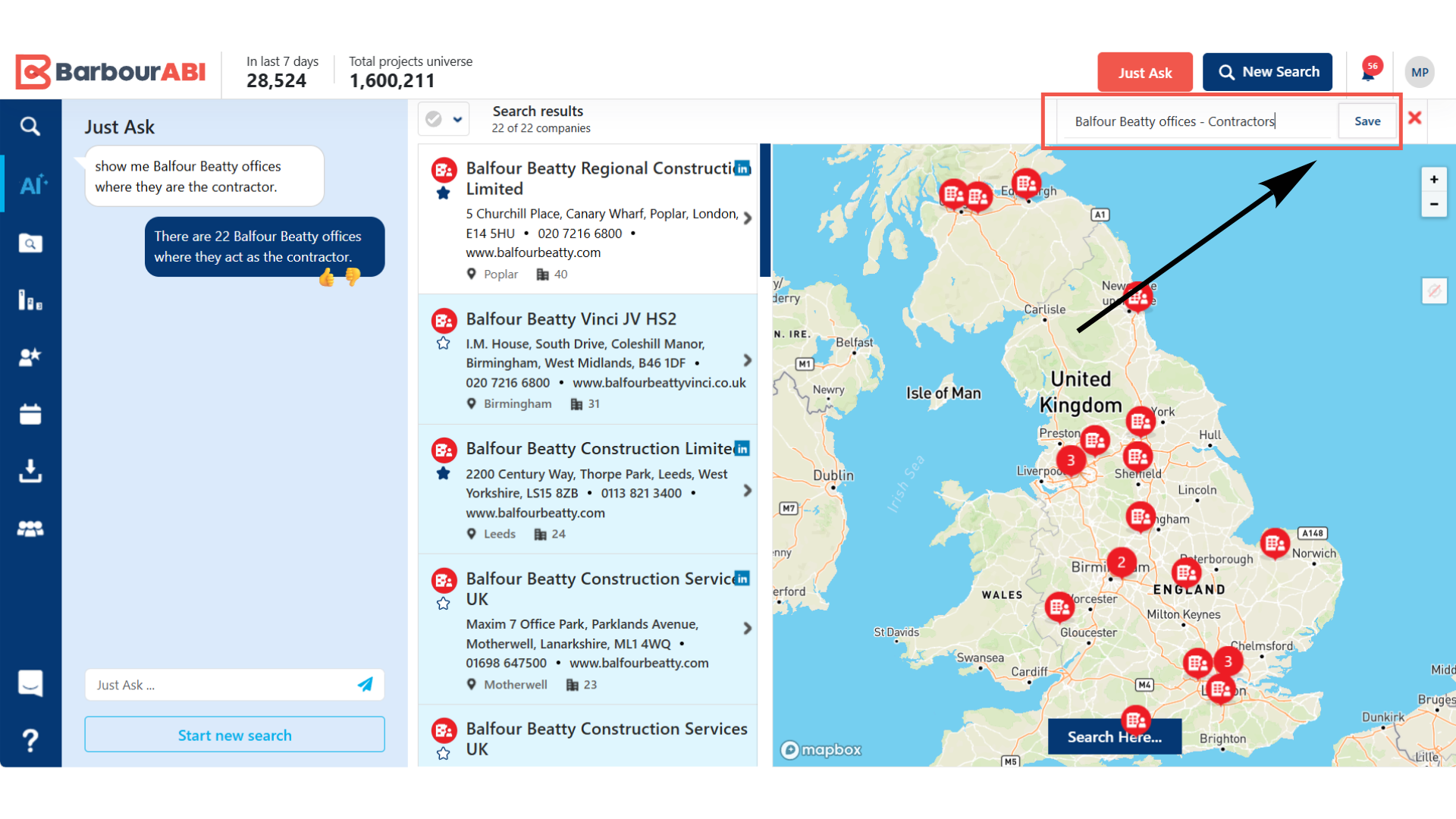
Step 13: Save your conversation. Use a name accurate to your search and hit save.
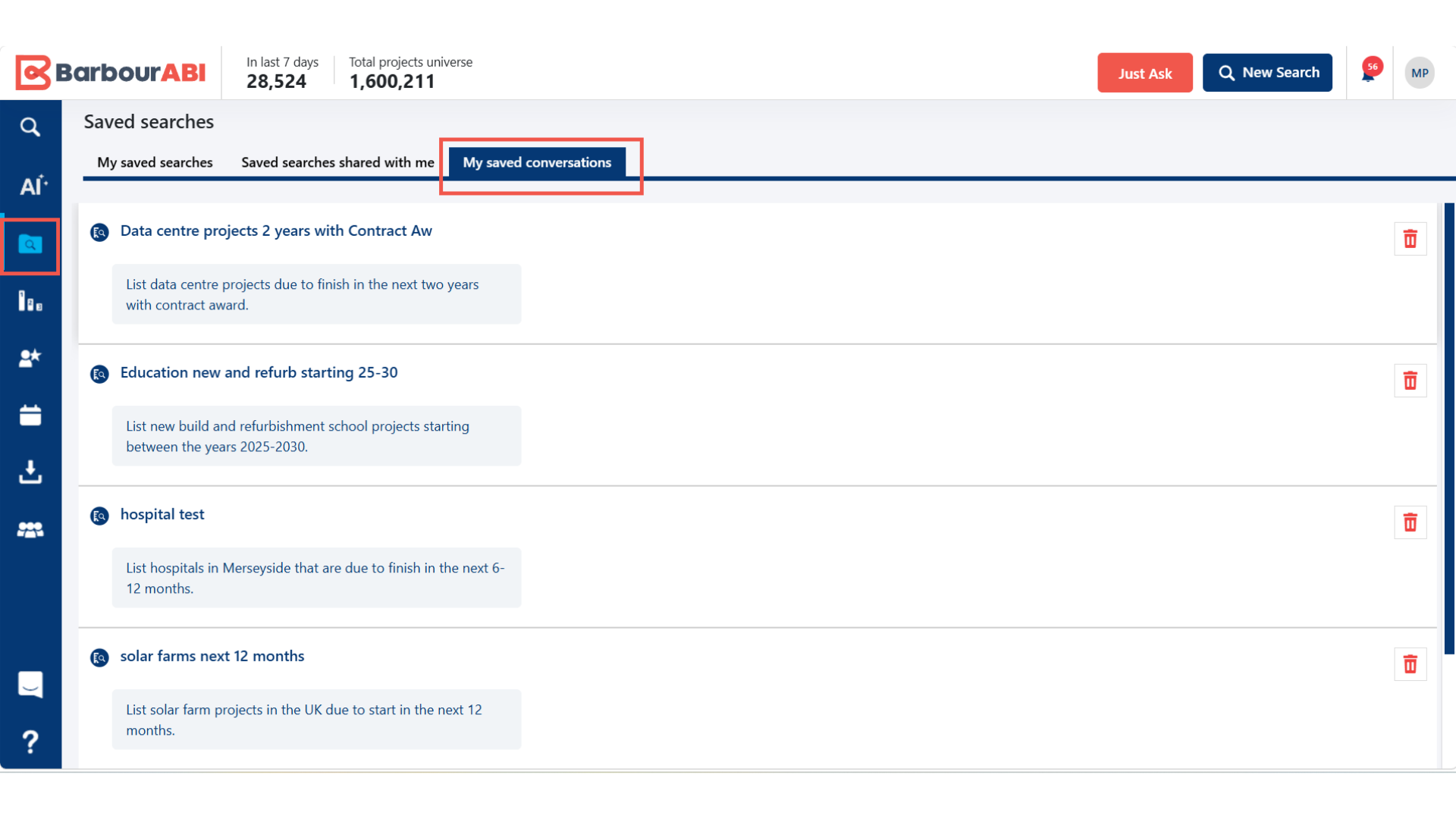
Step 14: Access your saved conversations under the Saved Search icon in the left-hand panel.
You can find the conversation in the tab labelled My Saved Converstaions.